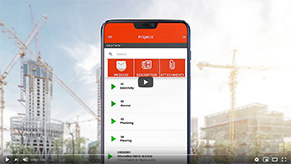
Communication software is an application that brings together, in a single interface, several exchange features between employees: messaging, notifications, file sharing, approvals, and sometimes calls or video. Unlike a simple, one-off communication tool, this software covers the full flow of internal information.
It’s sometimes referred to as a business communication platform or solution.
Communication software centralizes exchanges so they stop being scattered across texts, emails, calls, and personal apps. In practice, it helps to:
In mobile SMBs, this software usually replaces free tools used without a framework (personal WhatsApp, SMS, personal email).
Instant messaging lets you exchange written messages in real time. Communication software goes further: it embeds messaging into a wider set of features (scheduling, time tracking, construction site management, alerts), which keeps everything in one place.
In short: messaging is a brick, software is the whole house.
For a field-based SMB, a business communication tool like Mobile-Punch plays this role: a single software, usable on mobile, that connects communication, scheduling, and staff tracking.
Email works well for longer, formal, or external exchanges. Internal communication software is built for real time and operations: short messages, quick replies, field updates in real time.
Yes. Even with 5 to 10 employees, dedicated software prevents scattered messages and makes staff management easier. The more mobile the team is (jobsites, visits, client homes), the more valuable the software becomes.
Not necessarily. The most effective solutions integrate communication and scheduling. That way, you avoid duplicate tools and gaps between written instructions and the actual schedule.
Mobile-Punch saves thousands of companies time and money. Call us to find out how we could do the same for yours!
We are located at:
5955, rue Saint-Laurent
Lévis, Quebec
G6V 3P5