11 June, 2026
Mobile-Punch
SHARE
Mobile-Punch vs ProgressionLIVE: which software should you choose to manage your field teams?
Choosing software to manage your field teams is never a trivial decision. A handful of solutions exist in Quebec and across Canada, each with its own philosophy and strengths. Two of them come up often in the comparisons made by companies with mobile employees: Mobile-Punch and ProgressionLIVE.
At first glance, both platforms look similar: mobile apps, time management features, team tracking, reporting. Yet when you look closely at each solution’s official website, you notice they don’t share exactly the same starting point or the same functional priorities.
This page offers a factual comparison of Mobile-Punch and ProgressionLIVE, based solely on information publicly available on their respective official websites. The goal isn’t to crown a “winner,” but to help managers understand where each tool places its emphasis, and which one best matches their day-to-day reality.
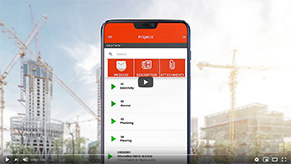
Mobile-Punch vs ProgressionLIVE comparison
Key differences between Mobile-Punch and ProgressionLIVE
Reading both official websites, the two solutions speak to similar companies, but their entry points differ.
The starting point isn’t the same
Based on the homepages and product descriptions:Mobile-Punch appears to build its entire offering around work time management. Hours calculation, geolocated mobile punch, schedule management, and payroll production recur as the common thread throughout the website’s messaging.ProgressionLIVE builds its offering around task dispatch and work orders. Service call management runs as the common thread throughout its website’s messaging.
Both mention punching and dispatch. The difference lies more in which module is presented as central.
Visible industry specifics
Mobile-Punch highlights a dedicated construction app along with a CCQ timesheet module, a strong signal for Quebec construction companies subject to the CCQ. Mobile-Punch states it is used by more than 42,000 users, making it the #1 app to simplify time management.
ProgressionLIVE explicitly lists industries such as HVAC, plumbing, electrical, maintenance, drilling and concrete, and container rental, suggesting a positioning grounded in technical intervention services.
Software implementation
The two platforms don’t seem to take the same approach to implementation support:
ProgressionLIVE explicitly mentions the option of offering training to its clients, at a cost that can reach $2,000 based on information available on its website.
Mobile-Punch, for its part, doesn’t promote any mandatory training fees. The solution seems to rely instead on a more self-directed setup, with a series of short training videos made available to clients.
This point can make a difference for companies looking to roll out a simple tool quickly, without adding significant upfront costs. For teams less comfortable with digital tools, however, short training or targeted support can still be helpful to ease adoption.
Client communication
ProgressionLIVE explicitly mentions text message notifications to the client (to announce the technician’s arrival, for example). Mobile-Punch highlights a company communication tool (geared toward internal teams, per the service page). Both approaches are valid, but they don’t cover exactly the same need.
What type of company should choose Mobile-Punch?
Based on the information available on Mobile-Punch’s official website, the solution may be a good fit for:
- companies for which geolocated mobile punching and precise hours calculation are the priority;
- construction companies that need a module aligned with the CCQ timesheet;
- organizations that want to cut down the time spent preparing payroll by exporting to their accounting software (EmployeurD, QuickBooks, Nethris, Acomba, etc.);
- companies that want real-time tracking of their employees’ location in the field;
- teams that combine punching, schedule management, calendar, and work orders in a single app.
Specific needs around complex dispatch, multi-step intervention management, or client communication should be validated during a demo.
What type of company should choose ProgressionLIVE?
Based on the information available on ProgressionLIVE’s official website, the solution may be a good fit for:
- companies whose core activity revolves around dispatching tasks in the field (service calls, deliveries, pickups, maintenance);
- technical service companies explicitly named on the website, such as HVAC, plumbing, electrical, construction services, drilling and concrete, maintenance, installation, and container rental;
- organizations that want to eliminate paper work orders and structure the work order chain (from signature to invoicing);
- companies that want to notify their clients of a technician’s arrival by SMS;
- companies that want to invoice directly on site from the mobile app.
Needs tied to very specific time management rules (CCQ, complex payrolls, multiple collective agreements) should be validated directly with the vendor.
Questions to ask yourself before making a decision
Rather than comparing feature by feature, it’s often more useful to start from the company’s day-to-day reality. A few questions to ask yourself:
- What is our main need: better control over hours worked, or better dispatching of interventions?
- Do we need to produce CCQ-compliant timesheets?
- Do our teams work mainly in the field, at client sites, or on worksites?
- Do we need our clients to receive automatic notifications?
- Which accounting integrations are essential (Acomba, QuickBooks, Sage 50, Nethris, EmployeurD, others)?
- How many users do we anticipate, and how do we want to be billed (per user, per license, per module)?
- Do we want a bilingual solution with French-language support?
- Do we want a solution that’s simple and quick to deploy, or a complex tool that can sometimes take months of training?
FAQ Mobile Punch VS ProgressionLive
What is the difference between Mobile-Punch and ProgressionLIVE?
Based on their respective official websites, Mobile-Punch emphasizes work time management, geolocated mobile punching, and timesheet production (with a CCQ module for construction). ProgressionLIVE emphasizes task dispatch, electronic work orders, and field intervention management. Both solutions cover partly common ground, but with different entry points.
Is Mobile-Punch suitable for field teams?
According to the information published on its website, Mobile-Punch is designed for companies with mobile employees, featuring geolocation, offline punching, and project management modules. It also meets the needs of construction companies that must comply with regulations. The right fit for a specific use case should be validated during a demo.
Is ProgressionLIVE suited to work order management?
Based on the official website, work order management is one of ProgressionLIVE’s core modules, with electronic signature, photo capture, PDF sent to the client, and mobile invoicing. The exact features by plan (ProgressionPRO or ProgressionLIVE Premium) should be validated directly with the vendor.
Which software should I choose for tracking employee time?
Both platforms mention mobile punching and geolocation. Mobile-Punch explicitly positions work time calculation as the core of its offering and provides a CCQ timesheet module. ProgressionLIVE mentions mobile punching and a punch kiosk. Companies with strong regulatory requirements (CCQ, collective agreements) should validate the level of compliance offered directly with each vendor.
Can these solutions be used on mobile?
Yes. Both platforms have iOS and Android mobile apps, available through the App Store and Google Play.
Which accounting integrations are supported?
According to the official websites:
- Mobile-Punch cites EmployeurD, QuickBooks, Nethris, Acomba, Avantage, Maestro, and Ctrl, noting that “several other software programs and services are compatible.”
- ProgressionLIVE cites QuickBooks Online, Acomba, and Sage 50 on its public pages.
Compatibility with a specific software not listed should be confirmed with the vendor.
How do I choose between Mobile-Punch and ProgressionLIVE?
The choice mainly depends on the usage priority: if mastering work time, punching, and payroll is at the heart of the need, Mobile-Punch seems particularly geared in that direction, especially for construction companies. If the priority is dispatching interventions, ProgressionLIVE may present an aligned positioning. A demo of each solution remains the best way to decide.
Recent Articles
7 October, 2026 • Mobile-Punch
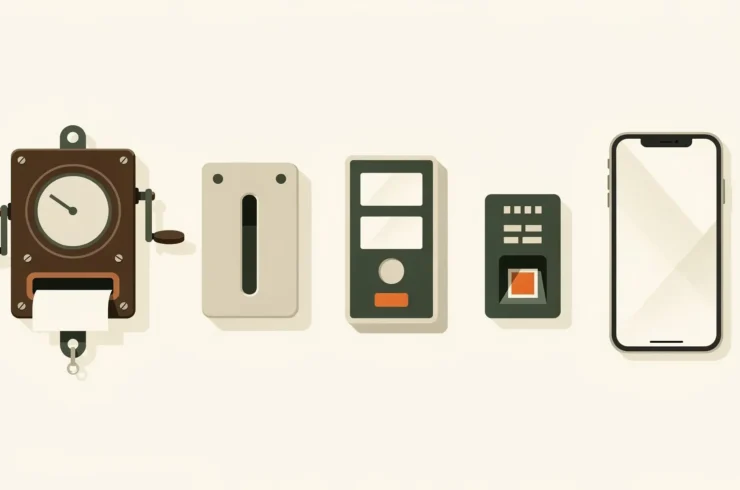
The evolution of time clocks: from Bundy clocks to mobile time tracking
Every hour worked but poorly recorded costs money, distorts payroll and fuels disputes. For more than a century, employers have…

8 September, 2026 • Mobile-Punch
R-20 Compliant Timesheet: How to Keep It Right? A Guide for Construction Employers
On a job site governed by Bill R-20, the timesheet is not just an internal management tool: it is the…

28 July, 2026 • Mobile-Punch
CCQ Travel Expenses: How to Automate Mileage Calculations? An Employer’s Guide
In Quebec’s construction industry, CCQ travel expenses show up on your workers’ pay every single week. The amount you owe…