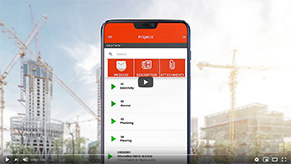
A collaboration tool is a digital platform that lets several people work together on the same information, tasks, or projects by sharing a common space (messages, documents, photos, schedules). In a business setting, it connects office and field teams around a single source of truth, supported by internal communication and real-time work.
It’s sometimes called a coordination platform or referred to alongside instant messaging when the focus is on quick exchanges and tracking projects and tasks.
In practice, a collaboration tool prevents information from getting scattered across emails, texts, and phone calls:
Regular messaging (texts, personal email) is used to communicate, but it isn’t linked to operations. A collaboration tool, on the other hand, ties communication to action: a message, a task, a project, an employee. Everything sits in the same context.
The result: fewer back-and-forths, fewer oversights, and better day-to-day employee management.
When a team works across multiple sites or on the move, a collaboration tool becomes a real lever:
Not always. Some collaboration tools are built primarily for communication (messages, files), while project management software structures tasks, deadlines, and dependencies. The most effective solutions combine both: communication contextualized by project, and task tracking in one place.
Yes. A small team gains a lot from centralizing exchanges in one tool, especially when employees are constantly moving. By connecting the collaboration tool to mobile punch-in and online timesheets, you keep a clear view of who is where, and what needs to move forward.
Set simple rules: segment channels by project, limit notifications to important messages, and keep the topic operational (who does what, when, where). The goal isn’t to add yet another channel, but to replace several scattered ones with a single, better-defined space.
Mobile-Punch saves thousands of companies time and money. Call us to find out how we could do the same for yours!
We are located at:
5955, rue Saint-Laurent
Lévis, Quebec
G6V 3P5