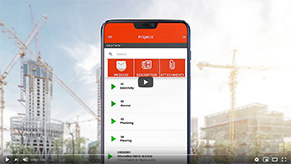
Worksite report

What is a worksite report?

A worksite report is a document that captures what happened on a jobsite: tasks completed, teams on site, hours worked, materials used, weather conditions, and unexpected events. It provides a clear, factual record of progress, useful for both construction site management and billing.

It’s sometimes referred to as a daily report: the two terms often describe the same thing, especially in construction.

What is a worksite report used for in a business?

Day to day, the worksite report serves several purposes:

  • track work progress and feed the daily report
  • document team attendance via employee geolocation
  • log unexpected events (delays, blocked access, equipment issues, weather)
  • justify billed hours and improve payroll accuracy through online timesheets
  • give clients, subcontractors, and stakeholders a clear view of the work

What does a worksite report include?

A useful report stays short, readable, and structured. Typically:

  • the date and the site (e.g., “May 12, Pont-Viau jobsite, Building B”)
  • employees on site and hours worked
  • tasks completed and progress against the planned projects and tasks
  • materials received or used
  • incidents, delays, or decisions that need approval
  • photos taken on site (visual proof)

Worksite report vs. timesheet: what’s the difference?

A timesheet focuses on hours worked per employee. A worksite report tells the day’s story: who did what, where, under what conditions, and with what issues.

The two complement each other. An integrated tool avoids double entry: people punch in, fill out the report, and the data flows straight into real-time scheduling and payroll.

Benefits for a construction or field-services SMB

  • less paper, less information lost on the jobsite
  • better staff management thanks to data captured at the right moment
  • faster, more accurate billing (hours, materials, subcontractors)
  • fewer disputes thanks to a searchable history
  • support for productivity: jobsites that drift off track are spotted faster

Best practices for an effective worksite report

  • Fill it in the same day, from the field, on a mobile device (paired with the Mobile-Punch app)
  • Standardize the format to compare jobsites against each other
  • Connect the report to construction site management and the scheduling tool
  • Limit free text: favor structured fields (checkboxes, lists, photos)
  • Define who fills out, validates, and reads the report, in line with the construction app

Frequently asked questions about worksite reports

Is the worksite report mandatory?

It isn’t always required by law, but it’s often part of the contract, particularly in construction and civil engineering. It serves as proof of work performed and can be decisive in case of a dispute or audit.

Who should fill out the worksite report?

Usually the foreman, crew leader, or on-site supervisor. They’re the best placed to describe what happened, validate hours, and attach photos. The office can then verify and add details if needed.

How do you move from paper to digital without overload?

The idea isn’t to add another tool but to replace paper. A mobile tool tightly integrated with punch-in and scheduling lets you complete a report in minutes, with no re-entry. You save admin time while improving data quality, which fits the same logic as time clock software.

Contact Us

Mobile-Punch saves thousands of companies time and money. Call us to find out how we could do the same for yours!

We are located at:
5955, rue Saint-Laurent
Lévis, Quebec
G6V 3P5