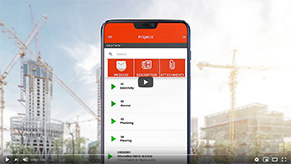
A communication tool is any physical or digital means that lets members of a company exchange information: written messages, calls, photos, files, instructions. In SMB and field-team contexts, it usually means a centralized app that replaces personal texts, scattered calls, and long email threads.
A good communication tool stands out by delivering the right information, to the right person, at the right time.
In practice, a communication tool helps with:
It usually complements a broader communication software, integrated with real-time scheduling and construction site management.
A management tool (scheduling, payroll, time tracking) is used to run an activity. A communication tool is used to move information between the people doing the work and the people making decisions.
The two go hand in hand: without a good communication tool, even the best scheduling tool remains underused, because updates never reach the field.
To go further, a dedicated business communication tool like Mobile-Punch brings these features together in a single app.
Yes, but it’s not well suited for field teams. Email works for formal or external exchanges, while an internal communication tool (such as instant messaging) is better designed for real-time operational needs.
No, the idea is to keep everyone on the same app and create separate channels by project or jobsite. That way, important information doesn’t get lost between several systems.
A good communication tool directly improves employee management: managers can share clear instructions, get quick confirmations, and avoid missed information caused by poor communication flow.
Mobile-Punch saves thousands of companies time and money. Call us to find out how we could do the same for yours!
We are located at:
5955, rue Saint-Laurent
Lévis, Quebec
G6V 3P5